Window controls
Add move, resize, minimize, and maximize controls to your own React content.
 PseudoOS
Source
MIT licensed · React + TypeScript
A desktop for the web.
Build a workspace with draggable windows, local files, and apps of your own. Start with a single window or bring a whole desktop into your site.
01 / Playground
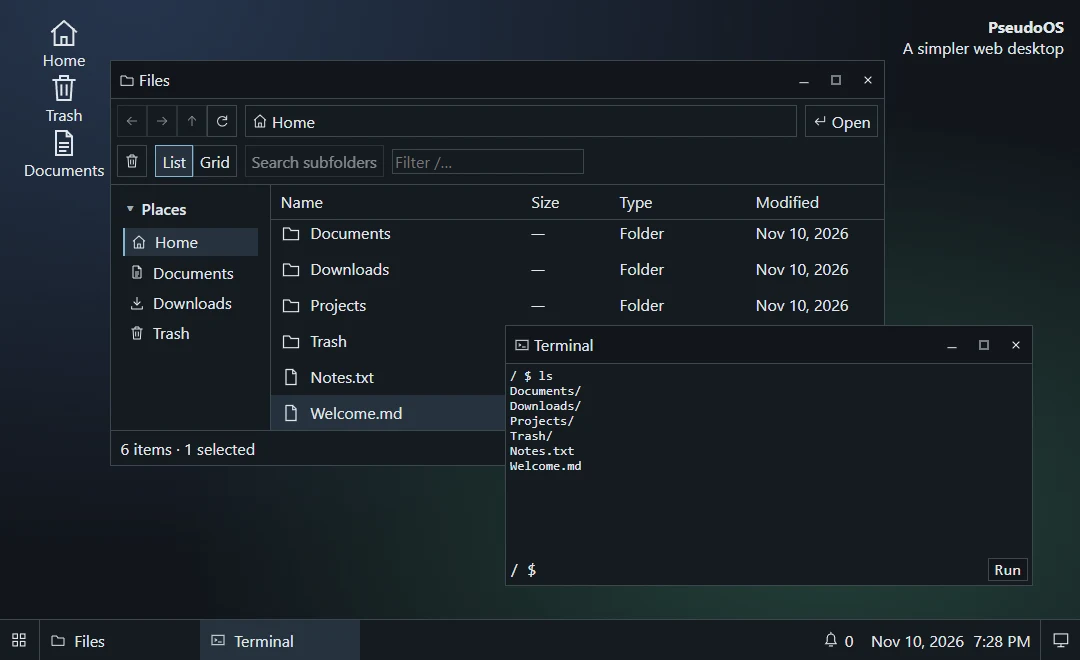
Open the OS menu and launch Files, Terminal, or Settings. Try editing Welcome.md or running ls. The sample workspace resets when you reload.
02 / Toolkit
Use the desktop preset for a complete workspace, or compose only the services and components your site needs.
Add move, resize, minimize, and maximize controls to your own React content.
Keep files in memory or use a storage adapter. The desktop includes file browsing, editing, and local previews.
Register your own apps and commands. Use React components to add a dashboard or widgets behind the windows.
03 / Documentation
The guides and source checkout require a Forgejo sign-in. From your checkout, install the dependencies and start the desktop example.
pnpm install
pnpm dev:desktop